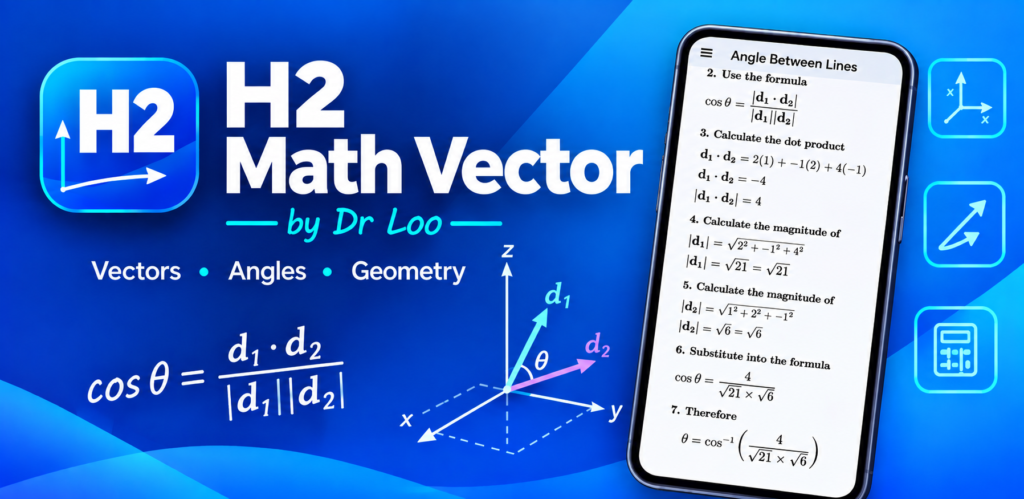
H2 Math Vector App for H2 Math Teachers and Tutors
Teaching H2 Mathematics involves more than presenting formulas and showing students the final answer. For topics such as vectors, lines and planes, students need to understand how the information in a question is interpreted, which mathematical relationship should be used, and how the solution develops from the given information to the final result.
The H2 Math Vector App was developed as a supplementary mathematics resource that can support this process. It can be used by mathematics teachers and tutors when demonstrating calculations, checking worked examples, discussing errors, preparing revision activities, or helping students verify their own mathematical work.
The app is particularly relevant to educators teaching JC H2 Mathematics, where vectors and three-dimensional coordinate geometry form an important part of mathematical problem solving. It can be incorporated into existing lessons without changing the teacher’s normal approach to teaching the underlying concepts.
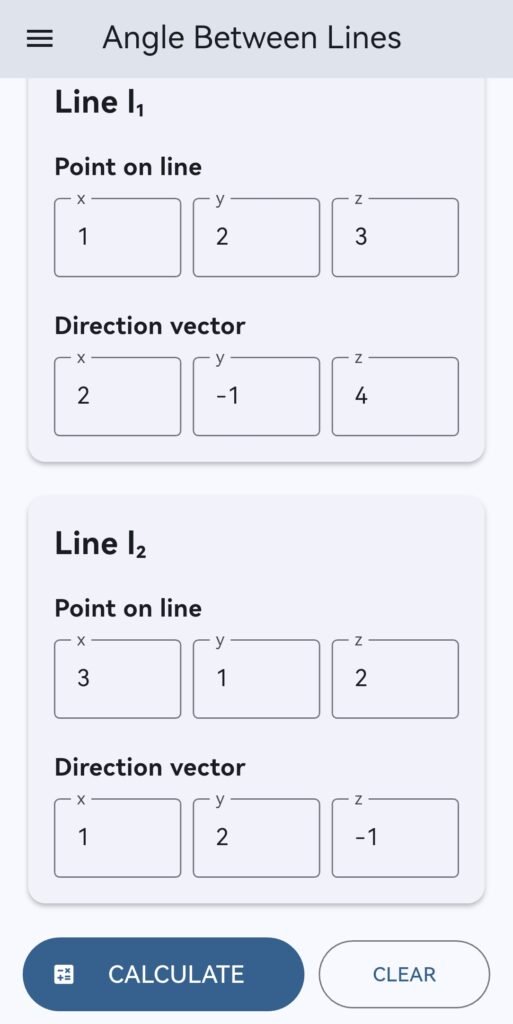
H2 Math Vector has a range of calculators for vectors, lines and planes. However, it is important to distinguish between the free and full versions of the app. Only selected calculator functions are available through the free access. The free access does not provide the complete collection of calculators or the full feature set. Teachers, tutors and students who require access to additional functionality should refer to the available app access options.
For more information about JC H1 and H2 Mathematics tuition and Dr Loo’s mathematics teaching services, visit JC H2 Math Tuition by Dr Loo.
A Supplementary Tool for H2 Mathematics Teaching
In a normal mathematics lesson, a teacher may introduce a concept, explain the relevant formula, work through an example and then ask students to complete similar questions independently. The H2 Math Vector App can be incorporated into this process at the checking and discussion stages.
Instead of using a calculator as the first step, students can first attempt the mathematical problem themselves. After completing their working, they can compare their result with the relevant calculation from the app.
This creates an opportunity for the teacher or tutor to discuss the solution in greater detail:
- Which mathematical concept is being tested?
- Why is the selected formula appropriate?
- How was the vector or equation constructed?
- At which stage did the student’s working differ?
- Does the final result agree with the mathematical conditions given in the question?
The purpose is therefore not simply to obtain a number. The app can become part of a wider teaching process in which students learn to examine, explain and check their own mathematical reasoning.
How Teachers Can Use H2 Math Vector
Demonstrating a Calculation
During a lesson, a teacher can introduce a vector problem and work through the mathematical reasoning with the class. Once the method has been explained, the app can be used as an additional reference to check the resulting calculation.
This can be particularly useful for calculations involving several stages. Students can compare the result with their own working and then discuss whether each mathematical step was carried out correctly.
Checking a Worked Example
Teachers regularly prepare their own worked examples, worksheets and revision questions. The app can provide an additional reference when checking selected vector, line and plane calculations.
This is not intended to replace the teacher’s own mathematical verification. Rather, it gives the educator another way to examine a calculation before or during a lesson.
Discussing Student Errors
An incorrect answer can be turned into a useful learning opportunity. When a student’s result differs from the app’s result, the teacher can ask the student to identify the first stage where the two solutions become different.
This encourages students to examine their own work instead of immediately asking for the correct answer.
Supporting Revision Exercises
During revision, students may work through many questions covering similar mathematical concepts. The app can be incorporated after students have attempted questions independently, allowing them to check selected answers and identify topics where they require additional guidance.
Encouraging Mathematical Communication
A student may be able to obtain a correct answer without being able to explain why the method works. Teachers can use the app as a prompt for students to explain their working using appropriate mathematical language.
For example, after obtaining an answer involving an angle or distance, the student can be asked to explain the geometric relationship that led to the calculation.
Using the App During a Vector Lesson
A simple classroom workflow can be organised around three stages:
- Attempt: Students first attempt the question using the methods taught in class.
- Compare: Students check the relevant result using the H2 Math Vector App.
- Explain: Students identify any difference and explain where the error occurred.
This sequence keeps mathematical problem solving at the centre of the activity. Students are still required to construct their own solution rather than relying on the application to produce the answer before they have considered the problem.
For teachers, the comparison stage can also provide a natural transition into error analysis. Instead of spending lesson time simply confirming whether answers are right or wrong, the discussion can focus on the reasoning that produced the result.
Supporting the Teaching of Vectors
Vectors connect several mathematical ideas. Students may need to work with position vectors, direction vectors, scalar products, angles, perpendicularity and equations involving lines and planes.
For teachers and tutors, this means that vector questions can involve both mathematical knowledge and the ability to select an appropriate method.
Direction Vectors
Students need to understand how coordinates can be used to construct a direction vector and how that vector represents the direction of a line.
When teaching these concepts, the app can be used after a worked example to verify a calculation and reinforce the relationship between the original coordinates and the resulting vector.
Scalar Products and Angles
The scalar product is commonly used when working with angles and perpendicular relationships. Students may understand the formula but still make errors when substituting values, simplifying expressions or interpreting the resulting angle.
A teacher can use the app as an additional checking resource while discussing these stages.
Perpendicular Relationships
Questions involving perpendicular lines, planes and projections may involve multiple calculations. A mistake early in the solution can affect the final result.
In this situation, the teacher can use the calculated result as a reference and ask the student to trace the solution from the original information until the first discrepancy is found.
Lines and Planes in Three Dimensions
Three-dimensional coordinate geometry can be challenging because students may have to move between coordinate information, vector equations, geometric relationships and algebraic calculations.
The H2 Math Vector App can provide supplementary calculation support when teaching or revising these concepts, while the teacher remains responsible for explaining the underlying mathematical ideas.
Using H2 Math Vector in Tuition Lessons
The app can also be incorporated into private and group tuition. Dr Loo provides mathematics tuition in Singapore, including JC H1 and H2 Mathematics, with private and online tutoring options.
In a one-to-one lesson, a tutor can ask the student to complete a question independently while observing the student’s method. Once the student has finished, the relevant calculation can be checked using the app. This allows the tutor to concentrate on explaining areas where the student encountered difficulty.
In a group lesson, students can work on the same question independently before comparing their results. If different students obtain different answers, the tutor can use the discrepancy to start a discussion about the mathematical method.
Online lessons can use the same general process. Students can complete their own working, check the result and then discuss any differences with the tutor during the lesson.
More information about online JC H1 and H2 Mathematics tutoring is available through Dr Loo’s Online A-level Mathematics Tuition.
A Supplement to Existing Teaching Materials
The H2 Math Vector App is designed to supplement, rather than replace, normal mathematics teaching. Textbooks, worksheets, worked examples, classroom explanations and teacher feedback remain important parts of learning mathematics.
An educator may therefore combine the application with existing teaching materials in a sequence such as:
- Introduce the mathematical concept.
- Explain the relevant formula or relationship.
- Work through an example.
- Ask students to attempt a related question.
- Allow students to check selected results.
- Discuss errors and alternative approaches.
- Give additional practice where necessary.
This approach makes the application part of the learning process rather than presenting it as a replacement for mathematical understanding.
Helping Students Develop Better Checking Habits
Students often learn to check their work only after being told that an answer is incorrect. A more useful habit is to develop the ability to review a solution independently.
Teachers can encourage students to ask themselves whether their answer is reasonable, whether the mathematical conditions have been satisfied, and whether they can explain how the result was obtained.
The H2 Math Vector App can support this process by giving students another reference point after they have completed their own calculation.
This can be especially useful during independent revision. A student who discovers a discrepancy can mark the question for discussion with a teacher or tutor instead of simply moving on without understanding the error.
Using the App to Analyse Mistakes
Different types of mathematical errors require different forms of correction. A student may misunderstand the question, choose an inappropriate formula, construct a vector incorrectly, make an algebraic mistake or simply make an arithmetic error.
The difference between a student’s answer and the app’s result can provide a starting point for identifying which type of error has occurred.
For example, a teacher might ask:
- What information from the question did you use?
- What does this vector represent?
- Why did you select this formula?
- Can you substitute the values again?
- At which line does your solution first differ from the expected result?
Questions like these encourage students to understand the source of an error rather than simply replacing an incorrect answer with a correct one.
Suitable for Different Teaching Formats
One-to-One Tuition
During private tuition, the use of the application can be adapted to the individual student’s needs. A student who frequently makes calculation errors may benefit from additional checking practice, while another student may need greater emphasis on identifying the correct mathematical method.
Small Group Tuition
In small-group tuition, the application can support comparison and discussion. Students can solve a problem independently and then compare their answers, giving the tutor an opportunity to examine different approaches.
Online Mathematics Tuition
Digital resources can also be incorporated into online tuition. Students can complete their own calculations during a lesson and use the app when appropriate to verify selected results before discussing them with the tutor.
Dr Loo’s website provides information about online H1 and H2 Mathematics tuition, including both individual and group formats. Visit Online JC H2 Mathematics Tuition for more details.
Connecting the App with Other Vector Resources
The H2 Math Vector App can also be used alongside written mathematics resources. Dr Loo’s website includes topic-based mathematics resources that students and educators can refer to when revising specific concepts.
For example, the article The General Vector Form of the Equation of a Line provides an example involving the vector equation of a line and checking whether given points lie on the line.
Resources such as these can be used before or after an app-based calculation exercise. A teacher may first explain the concept using a worked example, then ask students to practise similar questions before using the application to check selected calculations.
Dr Loo’s website also contains a broader list of mathematics topics, which can be useful when directing students towards additional topic-based practice and explanations.
For School Mathematics Teachers
School teachers can potentially incorporate the H2 Math Vector App into classroom demonstrations, revision exercises or individual practice activities.
For example, students can be given a set of vector questions and asked to complete their own solutions first. Afterward, selected answers can be checked using the application. The teacher can then focus discussion on questions where students had difficulty.
This can be particularly useful when the objective is to develop students’ ability to check their own mathematical work and recognise recurring errors.
For Private Tutors and Tuition Teachers
Private tutors can incorporate the app according to the needs of their students. It may be used during individual practice, revision sessions or discussions of questions brought by students.
Because tuition lessons often allow the tutor to adjust the pace according to individual student needs, the application can be used selectively. It does not need to be used for every question.
The tutor continues to provide the explanation, mathematical reasoning and guidance needed for the student to understand the underlying concepts.
What Students Can Learn Beyond the Final Answer
The educational value of a calculation tool does not have to be limited to obtaining the final result.
Students can be encouraged to consider:
- What information was given in the question?
- Which mathematical concept is being tested?
- Why is a particular formula or relationship appropriate?
- What does each calculated quantity represent?
- Does the final answer satisfy the conditions of the question?
- Can the solution be explained clearly?
Teachers and tutors can use the H2 Math Vector App as part of this wider problem-solving process. The objective remains mathematical understanding, with the application serving as a supplementary checking resource.
Supporting H2 Math Revision
Revision requires students to practise questions and identify areas where they need further improvement. Vector questions can contain several connected steps, so checking the final result can help students recognise when their own solution needs further review.
For example, a student may discover that they frequently obtain incorrect answers when working with angles, distances, perpendicular relationships or intersections. These questions can then be brought to the teacher or tutor for further explanation.
The app can therefore form part of a broader revision routine: learn the concept, attempt the question, check the result, identify the mistake and review the underlying method.
Free Access and Full App Features
H2 Math Vector includes a range of vector, line and plane calculation tools, but not every calculator is included in the free access.
Selected calculator functions are available for users who want to try or use the app without accessing the complete feature set. Users who require additional calculators or the full range of available functionality should refer to the current access options provided with the app.
This distinction is also relevant for educators considering the application for classroom or tuition use. Teachers and tutors can first consider which calculator functions are relevant to their lessons and then contact Dr Loo to discuss possible educational use and the appropriate access arrangement.
H2 Math Vector App for Teaching and Learning
The H2 Math Vector App provides a practical way to check calculations involving vectors, lines and planes. For mathematics educators, however, its potential use can extend beyond the calculation itself.
It can be incorporated into demonstrations, practice activities, revision sessions and discussions about mathematical errors. Students can attempt a problem independently, compare their work with a calculated result and then examine any difference.
The application is most useful when it forms part of a wider learning process. Teachers and tutors can continue to explain concepts, demonstrate problem-solving methods and guide students through the reasoning behind each solution.
Interested in Educational Use?
School teachers, mathematics tutors and tuition providers who are interested in incorporating H2 Math Vector into lessons, revision activities or student practice are welcome to contact Dr Loo to discuss possible educational use.
This can also provide an opportunity to discuss which parts of the application may be relevant to a particular teaching environment and the appropriate access arrangements for the required calculator functions.
More information about Dr Loo’s mathematics tuition services is available at Dr Loo’s Math Tuition.
Frequently Asked Questions
Can teachers use H2 Math Vector in mathematics lessons?
Yes. The application can be used as a supplementary resource for demonstrating calculations, checking selected worked examples and discussing student errors. Teachers can determine how it fits within their existing lesson structure.
Can tutors use H2 Math Vector during tuition?
Yes. Tutors can incorporate the application into one-to-one, group or online tuition activities when practising relevant vector, line and plane calculations.
Are all H2 Math Vector calculators available for free?
No. The free access is limited to selected calculator functions. It does not provide the complete range of calculators or the full feature set of the app.
Should students use the app before solving a question?
A useful teaching approach is for students to attempt the question independently first. The application can then be used to check a selected result and identify whether further explanation is required.
Does the app replace a mathematics teacher or tutor?
No. The application is intended as a supplementary calculation and answer-checking resource. Teachers and tutors remain important for explaining concepts, identifying misconceptions and guiding students through mathematical reasoning.
Can a school or tuition provider discuss educational use?
Yes. Teachers, tutors and tuition providers interested in using H2 Math Vector for educational purposes can contact Dr Loo to discuss possible use and access arrangements.
Where can students access H2 Math Vector?
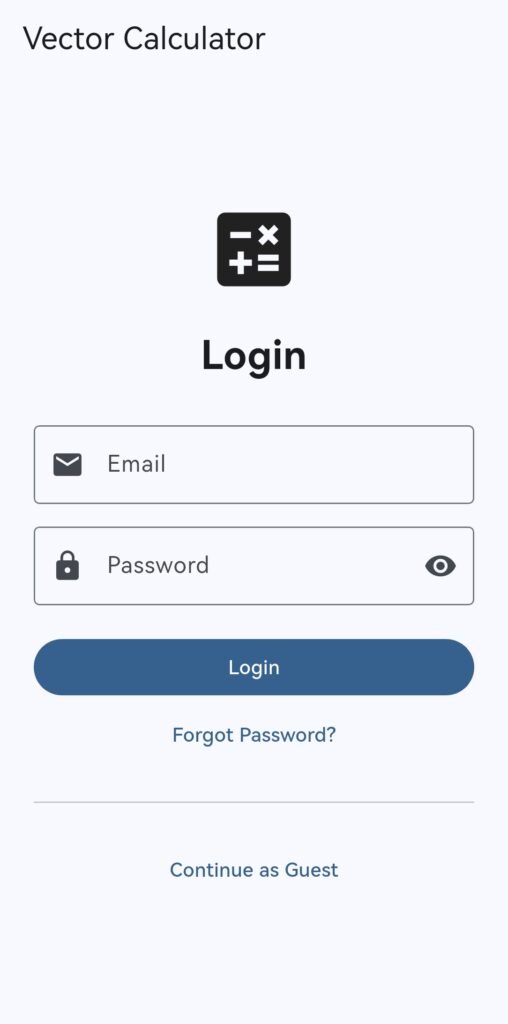
H2 Math Vector is available on Google Play. Students can use the available calculator functions as a supplementary resource when studying vectors, lines and planes.
View H2 Math Vector on Google Play
A Practical Resource for Mathematics Educators
Technology can be useful in mathematics education when it supports rather than replaces mathematical thinking. H2 Math Vector is designed to provide calculation support for vectors, lines and planes, while giving teachers and tutors another resource for demonstrations, revision and error analysis.
For educators, the purpose is not simply to obtain a final answer. The application can be incorporated into a learning process in which students attempt questions independently, check their calculations, identify mistakes and explain the mathematical reasoning involved.
With selected calculator functions available through the free access and additional functionality available through the full feature set, educators can consider the parts of the application that best match their teaching requirements.
For school teachers, private tutors and tuition providers interested in exploring possible educational use, visit Dr Loo’s Math Tuition website or contact Dr Loo to discuss your requirements.
About the Singapore Math Tutor - Dr Loo
I am a PhD holder with 14 years of teaching experience on teaching quantitative subjects at secondary school and university levels. My expertise are mathematics, statistics, econometrics, finance and machine learning.
Currently I do provide consultation and tuition for math tuition in Singapore. If you are looking for secondary math tutor in Singapore, JC H2 math tutor or statistics tutor in Singapore, please feel free to contact me at +65-85483705 (SMS/Whatsapp).
Among the Singapore math tuition that I provide, this includes Singapore secondary math tuition (E-math tuition & A-math tuition) and also JC Math Tuition (H1 Math Tuition & H2 Math Tuition). On the other hand, my statistics tuition in Singapore mostly focus on pre-university level until postgraduate level. For those who are looking for online tutoring service, the online O-level math tuition and online A-level math tuition are also available.